
Spend with confidence
Real billed cost by service, region and resource, and savings grouped by the decision to make. Each saving is tied to the affected resources and what they cost you, ready for the workload owner to confirm.
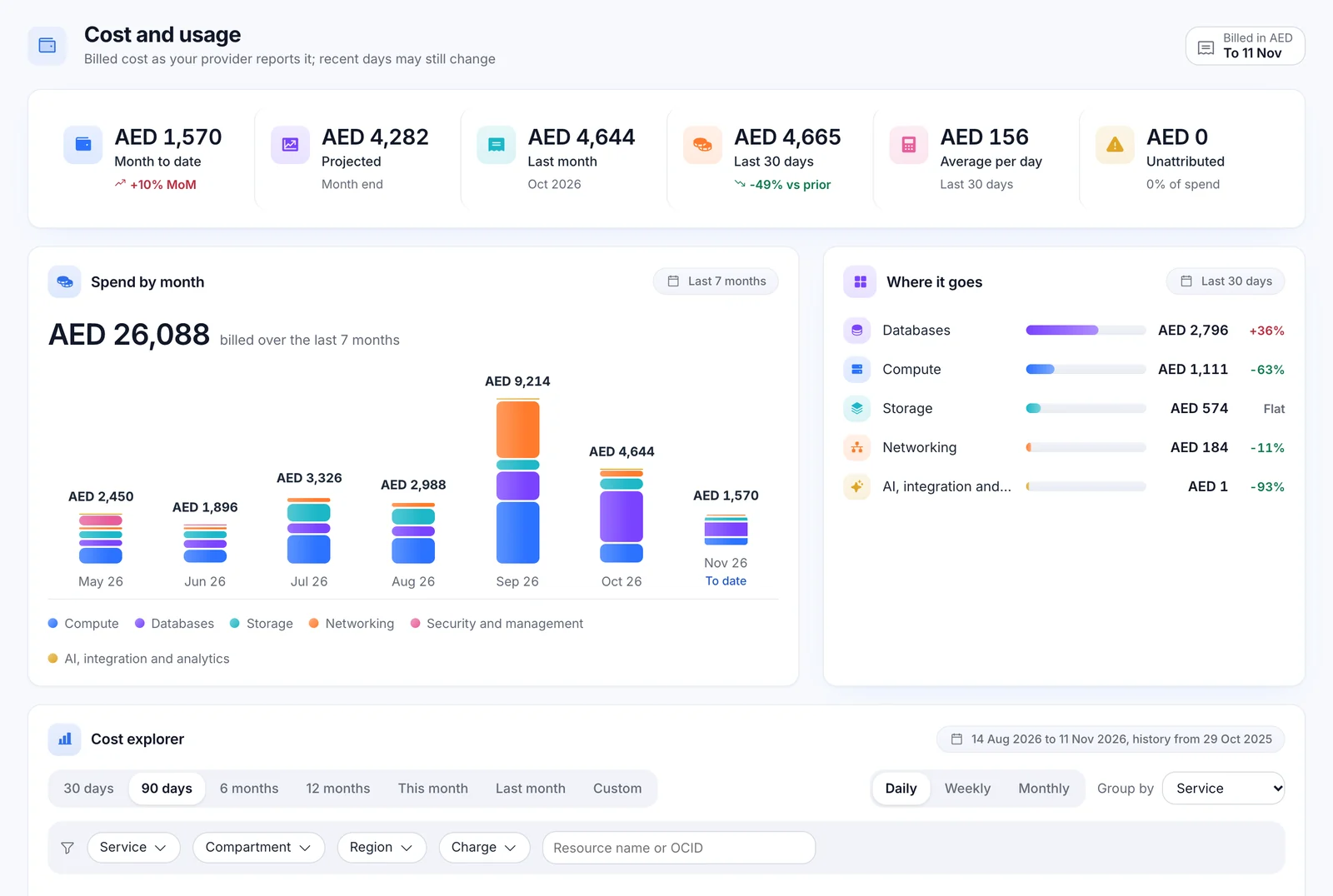
What you spent, what is coming, and where it went
Month to date beside the same days last month, a projection that is labelled as one, and breakdowns by service, compartment, region and resource.
- Collected from the OCI Usage API, with a 365-day backfill on the first collection and the last five days re-read every time, so late billing lines are picked up.
- A spend card on the Overview: month to date, six months of history, the projection and the savings found.
- Daily spend in your inbox: the latest complete day against the 7-day average, with the top services.
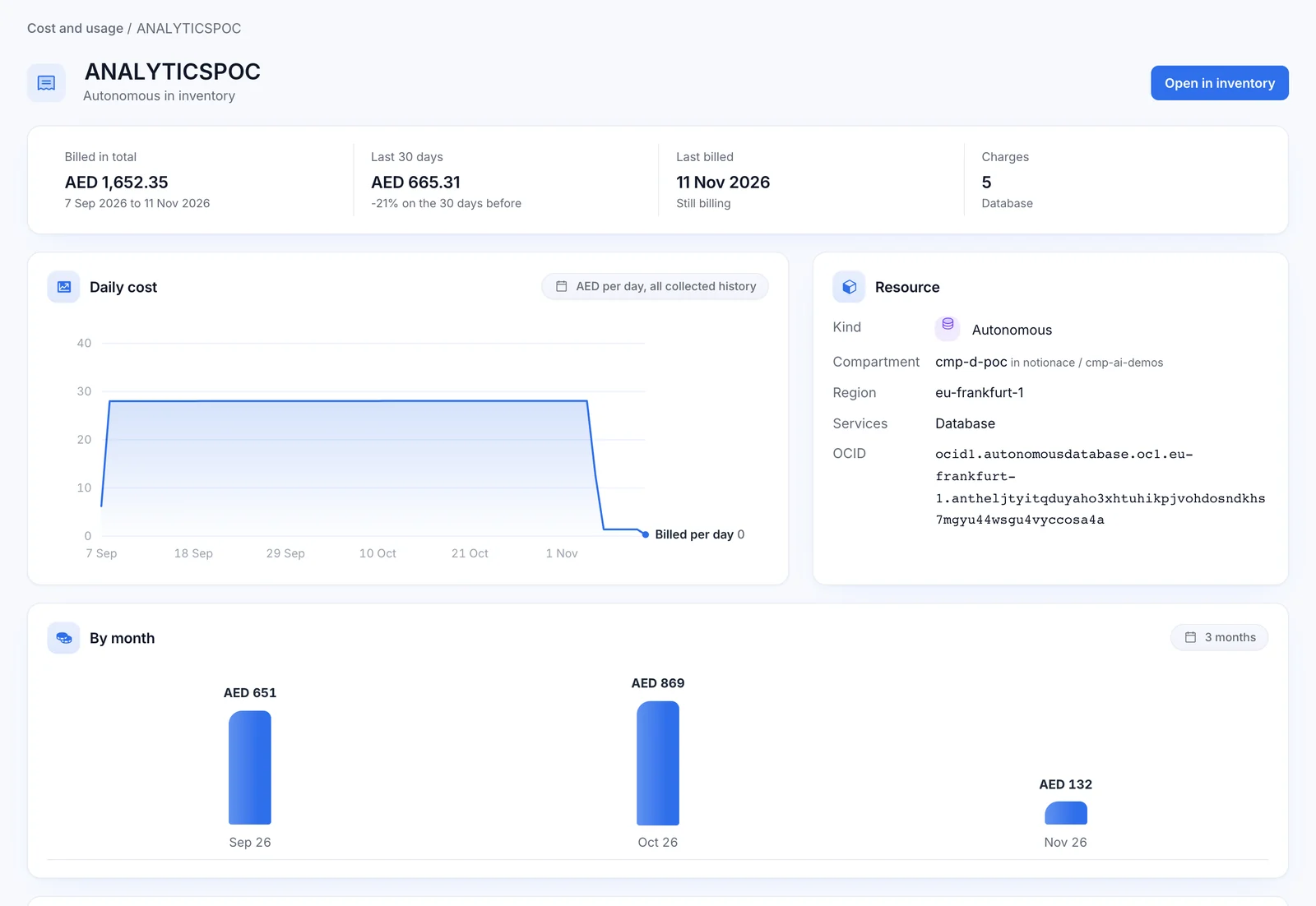
Any range, any grouping, down to one resource
Ask the bill your own question. Pick a range, group it, filter it and compare it with the period before.
- Any range up to 400 days, by day, week or month.
- Group by service, compartment, region, SKU or resource, with filters and drill-down.
- Comparison with the previous period, so a change is visible as a change.
- Per-resource cost history, even for resources that have since been deleted.
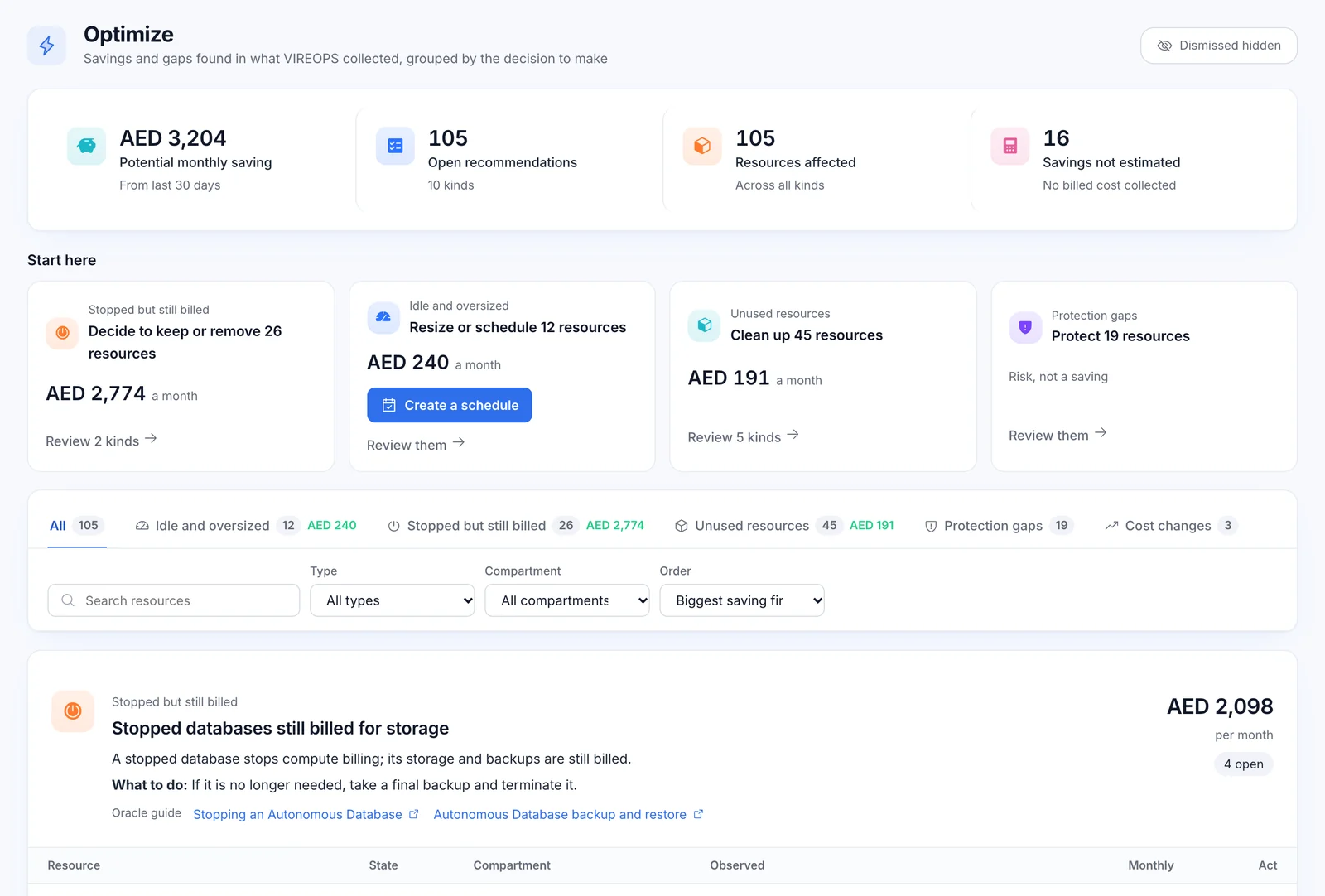
Ten deterministic rules. No AI guesses.
Each recommendation is a fixed rule over collected facts. The saving shown is the affected resources' real billed cost; where no billed cost was collected, it says "not estimated".
Stopped instances with billed volumes
Compute is off, but the attached storage is still on the bill.
Unattached volumes
Block volumes that no instance is using.
Idle load balancers
Load balancers that are still billed but serving little or nothing.
Boot volumes left behind
Boot volumes kept after their instance was terminated, still billed.
Stopped databases
A stopped database stops compute billing; its storage and backups are still billed.
Old backups
Backups older than 90 days, still adding to storage cost.
Unassigned public IPs
Reserved public addresses attached to nothing.
Cost spikes
Spend that jumped against its own recent pattern.
Volumes without a backup policy
A protection gap rather than a saving, listed beside the money.
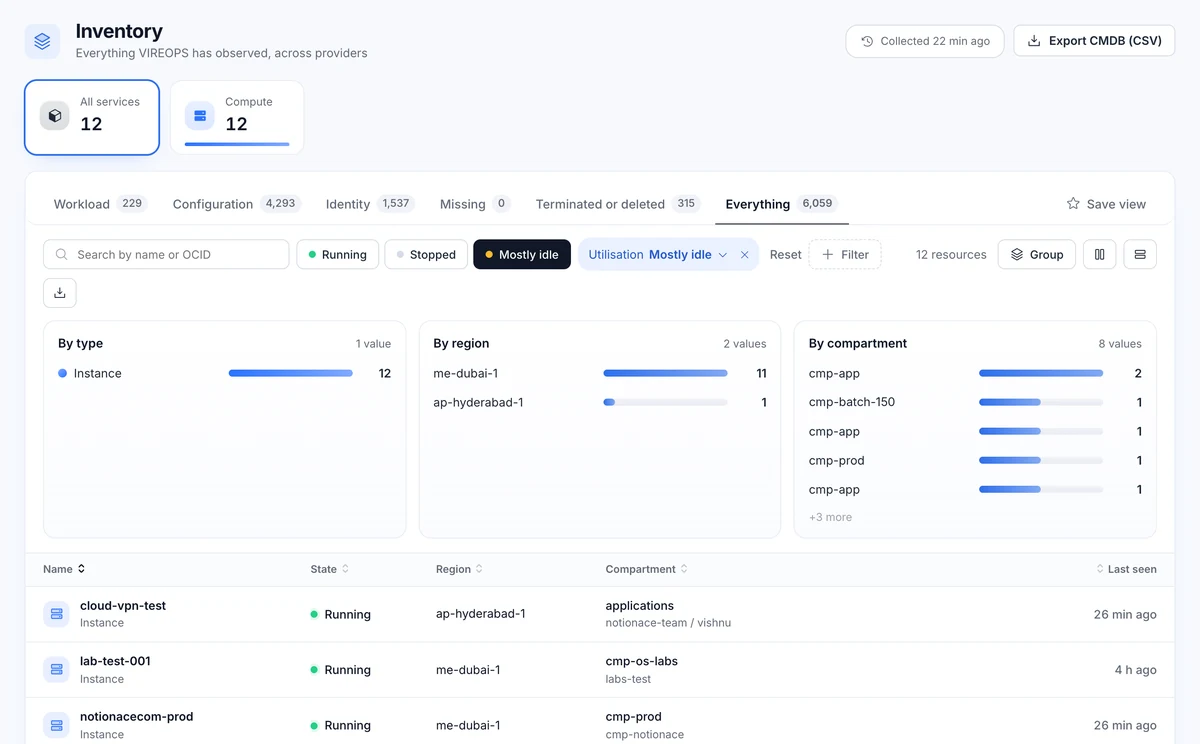
Mostly idle instances
CPU mean under 10% and p95 under 30% over 14 days.
Grouped by the decision you need to make
A "Start here" strip puts the biggest decisions and their saving first. Tabs group everything else by the kind of call your team has to make, with filters by type and compartment.
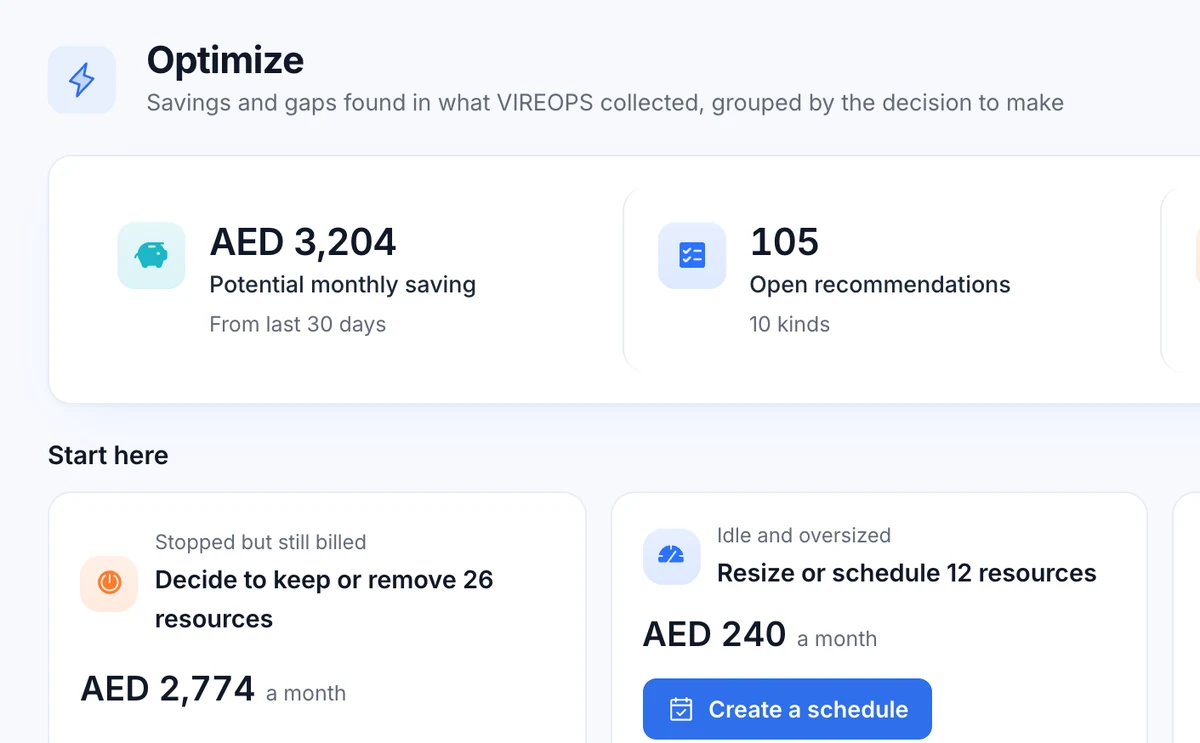
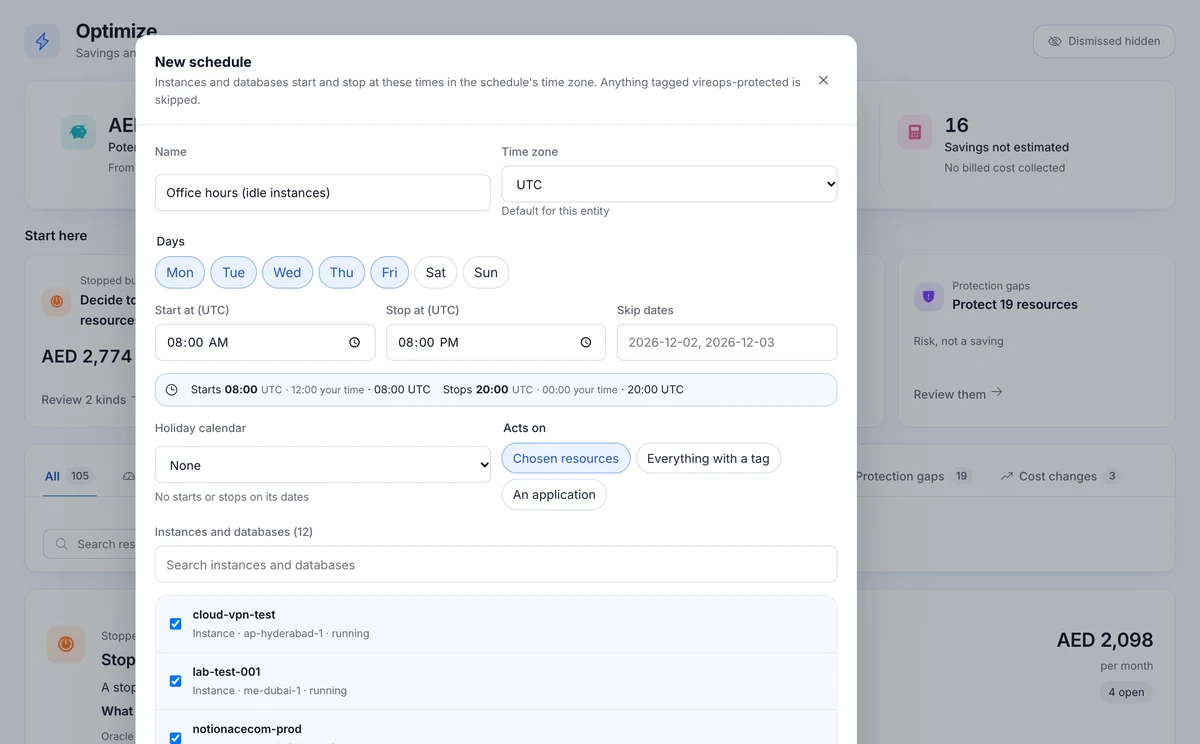
- Act from the recommendation: create a schedule for idle instances, resize, or assign a backup policy.
- Oracle's documentation is linked on every recommendation.
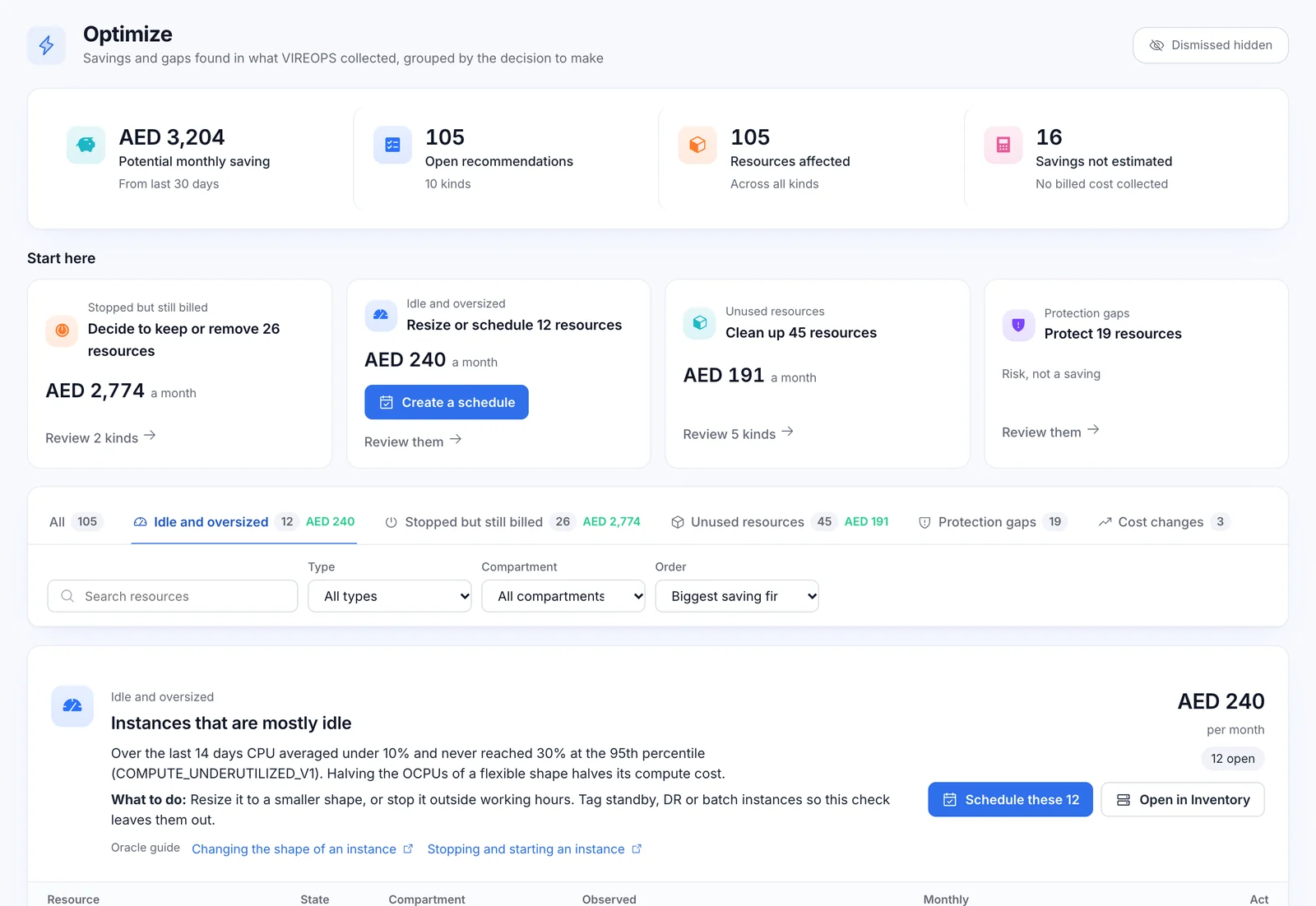
From idle to scheduled in three clicks
A real example from our demo estate: idle instances found, priced and scheduled without leaving VIREOPS.
Find
Inventory, "Mostly idle": 12 instances
Decide
Optimize, "Start here": the saving, priced
Act
Schedule opens with all 12 picked
The idle filter in Inventory counts instances exactly as Optimize does, so the numbers always agree.
Optimise at a glance
| Capability | What you get | Status |
|---|---|---|
| Cost source | OCI Usage API, 365-day backfill, last 5 days re-read each collection | Live |
| Cost and usage | Month to date, same days last month, labelled projection, breakdowns by service, compartment, region and resource | Live |
| Cost explorer | Up to 400 days; day, week or month; group by service, compartment, region, SKU or resource; previous-period comparison | Live |
| Recommendations | 10 deterministic rules; savings from real billed cost or "not estimated"; dismissals need a reason and are audited | Live |
| Actions from a recommendation | Create a schedule, resize, assign a backup policy | Live |
| AWS cost | Daily cost by service and region from Cost Explorer | Built |
| Per-resource AWS cost | Planned for a later release | Not yet |
| Prometheus export | vireops_cost_last_day per connection and currency | Live |
Questions about Optimise
Does VIREOPS use AI to estimate savings?
No. Recommendations are deterministic rules, and the saving is the affected resources' real billed cost. If no billed cost was collected for a resource, the saving reads "not estimated" rather than a guess.
Is cost data real-time?
No, and VIREOPS never labels it that way. OCI billing data can take up to 48 hours to appear, so every collection re-reads the last five days to pick up late lines.
How is "mostly idle" defined?
An instance whose CPU mean is under 10% and whose p95 is under 30% over 14 days. Inventory's utilisation filter counts idle instances exactly the same way.
Can VIREOPS remove resources for us?
No. VIREOPS never deletes, terminates or detaches. It can schedule, resize and assign backup policies through approved, audited cloud actions; removing a resource stays a decision made in your own console.
Which currency do figures use?
The billing currency of your tenancy, as your cloud provider reports it.
Let's map your cloud estate together.
See VIREOPS on a live OCI estate: scored, priced and evidenced in one walkthrough. NotionAce deploys it in your tenancy within days.