
Live in days, current from then on
NotionAce deploys and supports every install, end to end. VIREOPS runs as one VM in your own OCI tenancy, built by Terraform, and stays current through signed updates in your maintenance window.
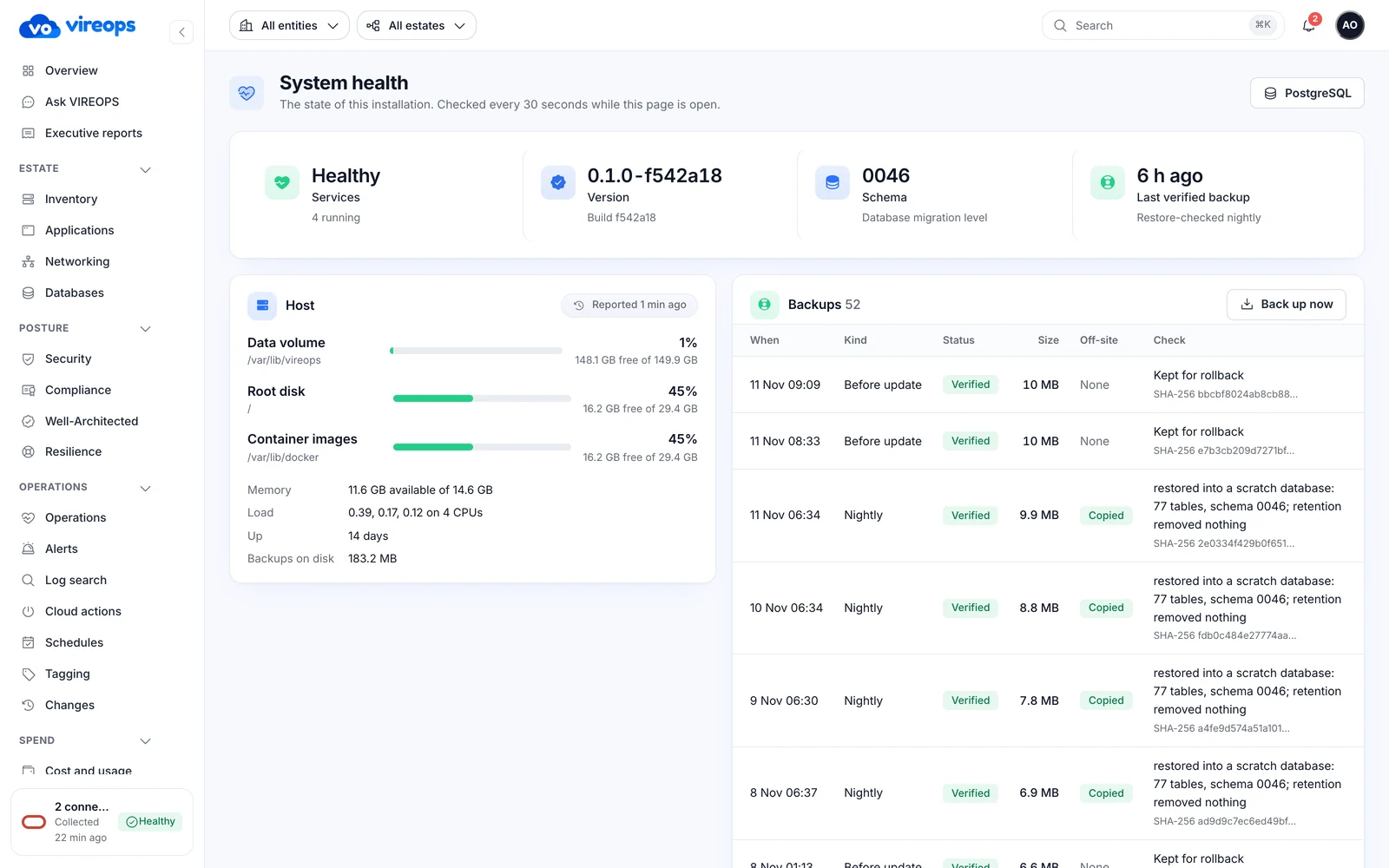
One VM in your tenancy
Everything runs in containers on a single VM, with PostgreSQL on its own block volume. Bring your own VCN or let Terraform create a new one.
Your OCI tenancy: one VM, Docker Compose
 Deployed by Terraform


 Optional public HTTPS
Optional front-door password
 Containers
vireopsctl on the host
Four steps, done with you
NotionAce enrols you in the Control Plane, deploys the install and walks your team through connecting the first tenancy.
Deploy
Terraform builds one VM in your tenancy, on a new or existing network. Outbound connectivity and any proxy are verified.
Activate
An activation code, shown once, creates your account and its owner from the verified, signed licence. The licence is bound to the install's own key and your host tenancy.
Connect
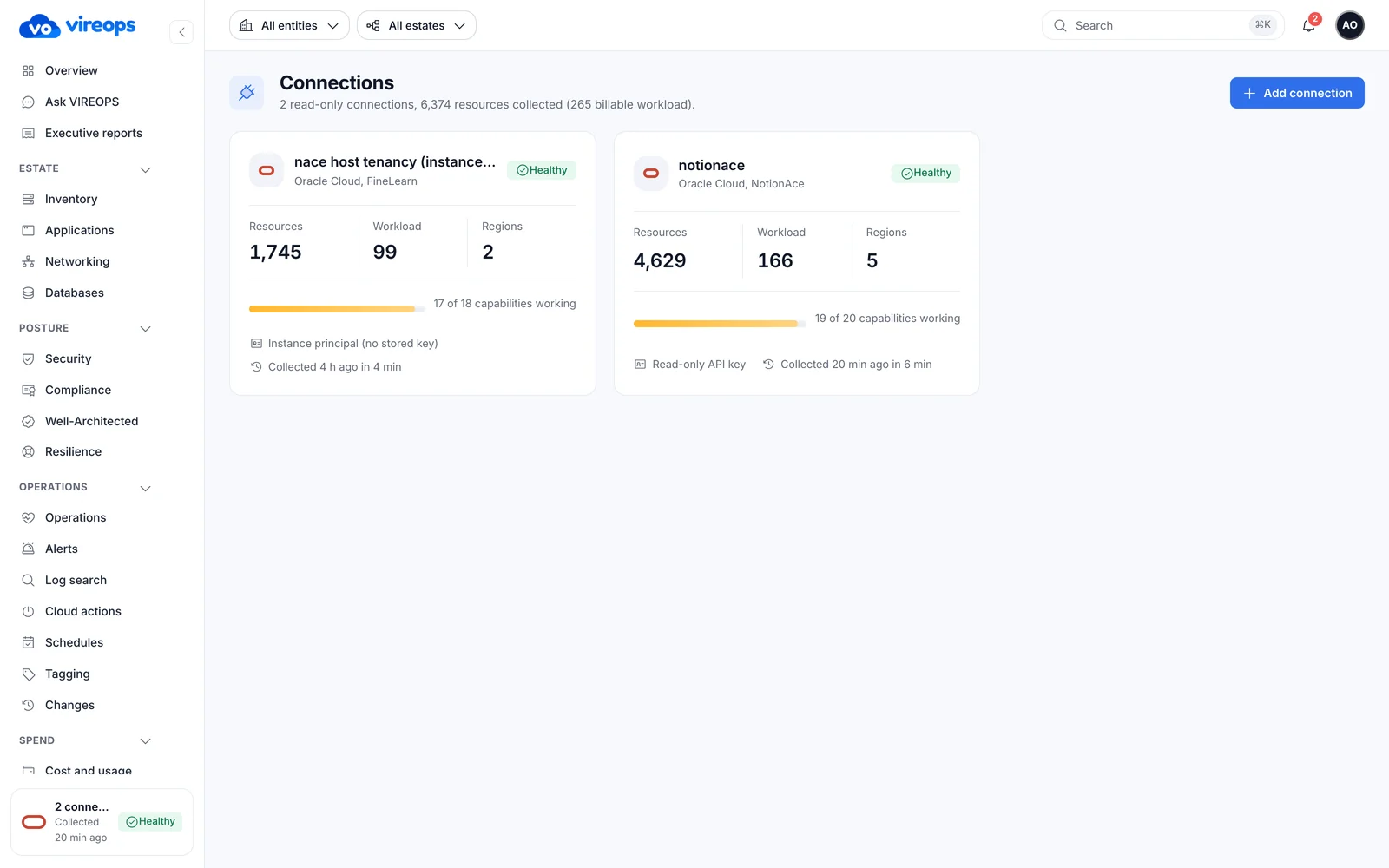
A wizard tests the connection live, shows exactly which permissions are missing and generates a least-privilege OCI policy.
- Instance principal or API key, with the secret encrypted
- Each connection shows its capability table and scan frequency
Collect
The first full sweep runs in minutes with live progress. Measured: about 5,900 resources in 4 to 5 minutes. After that, collection runs every 1 to 24 hours, with live metrics every five minutes.
Signed updates in your maintenance window
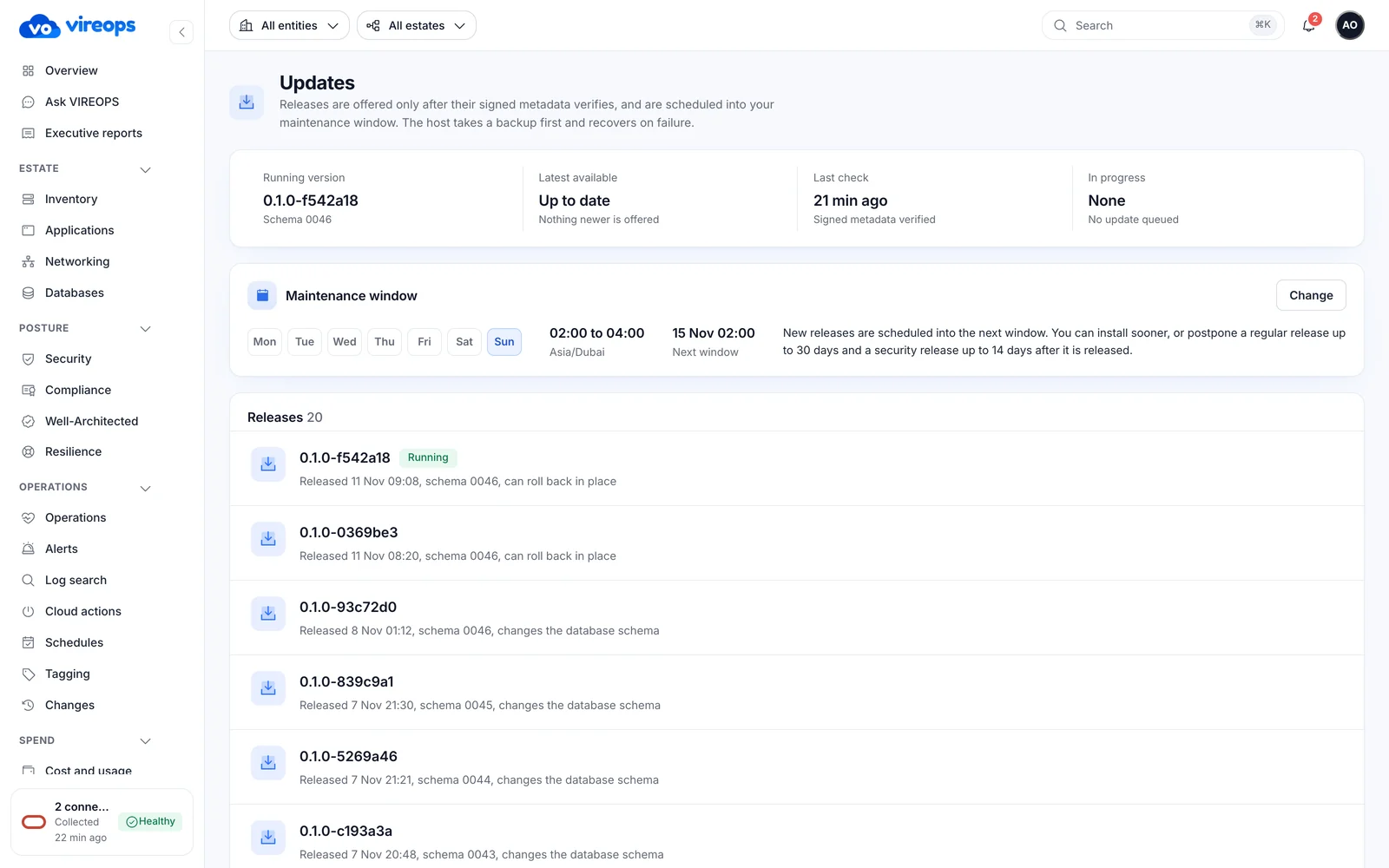
NotionAce schedules each release into a window you agree. You can defer within policy, and every step is visible.
- Offered versions, preflight (pass, warn or block), schedule, defer, install now, cancel and full step history
- Weekly maintenance windows. Deferral stops at release + 30 days (14 for security releases)
- Pull-only registry tokens issued per update, valid for 12 hours. Old images are pruned
If a step fails, recovery is automatic, using the previous images and, when the schema changed, the pre-update backup.
Every backup is proven to restore
Restore
vireopsctl restore restores into a fresh database. The replaced database is kept.
Health rules
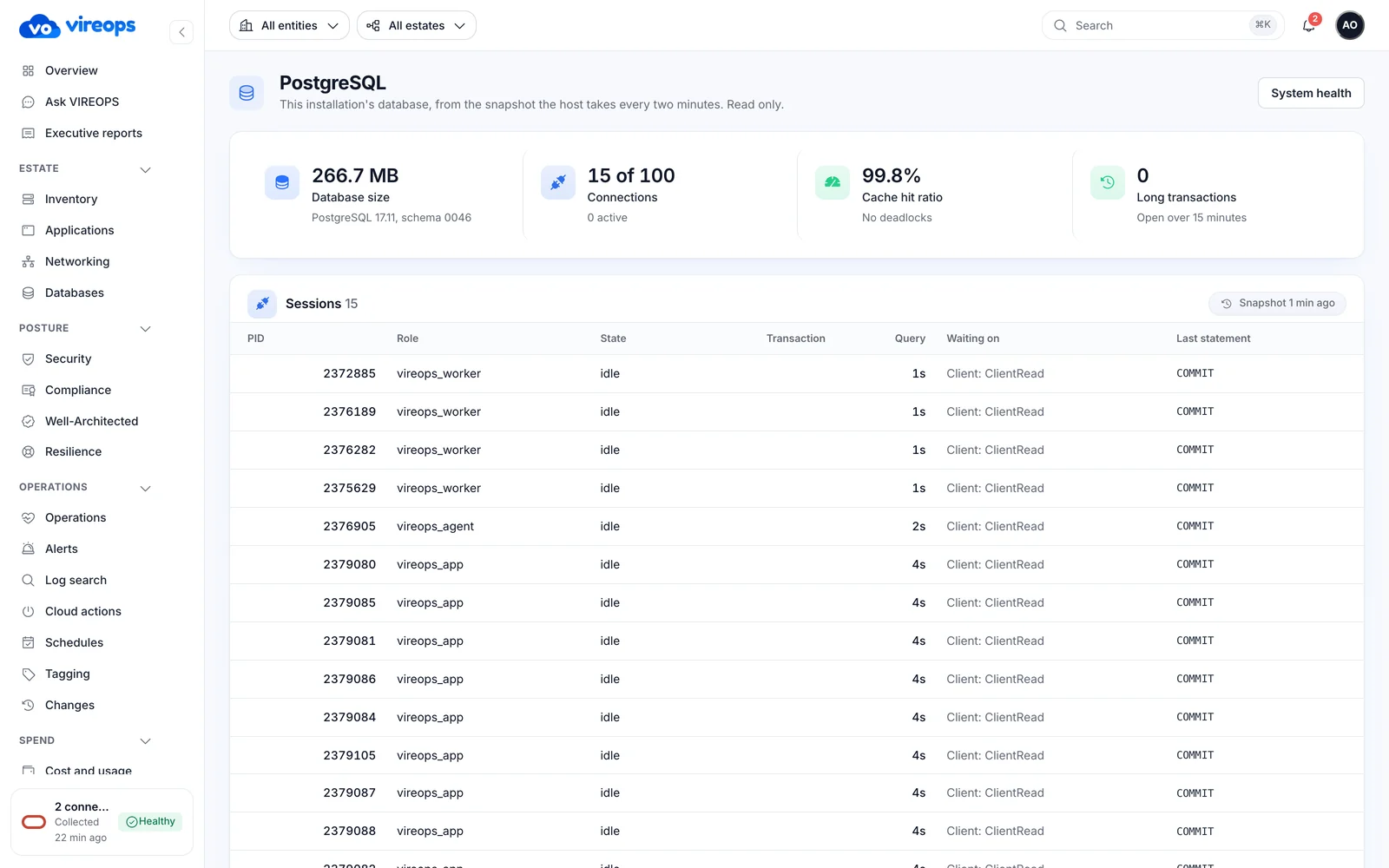
Stale host report, disk space, backup age, long transactions, lock waits, connections and transaction-ID age. Each is an attention item and never takes the site down.
PostgreSQL page
Connections, cache hit, long transactions, blocked sessions, top statements, tables, index health, vectors and settings.
One command-line tool
Host-level tasks run through vireopsctl. It works even when the app is down.
Install and updateSet up the install on the VM and apply signed releasesBackupTake a backup now, on top of the nightly schedulevireopsctl restoreRestore into a fresh database, keeping the replaced onevireopsctl support-bundleA scrubbed bundle with container logs and host checks
Deployment questions
Who deploys VIREOPS?
NotionAce deploys and supports every install, end to end, with Terraform in your tenancy.
Can we use our existing network?
Yes. Terraform supports bring-your-own VCN or creates a new one. Public HTTPS (Let's Encrypt) and a front-door password are optional.
Can we postpone an update?
Yes, within policy. Deferral stops at release + 30 days, or 14 days for security releases. Updates install in your weekly maintenance window, with preflight checks and automatic rollback.
How does support work without a vendor login?
You send a scrubbed support bundle with the ticket, from Settings → Support or vireopsctl support-bundle on the host. NotionAce diagnoses from the bundle and ships the fix as a signed release.
Let's map your cloud estate together.
See VIREOPS on a live OCI estate: scored, priced and evidenced in one walkthrough. NotionAce deploys it in your tenancy within days.